Remove background from image
A clean cut-out, nothing behind it.
Upload a photo and the subject comes out alone, on a transparent background. The tool runs a dedicated matting model, built to separate a subject from what is behind it, not a general image model that redraws the picture.
Photo tools come with every paid plan, from $19.99 a month.


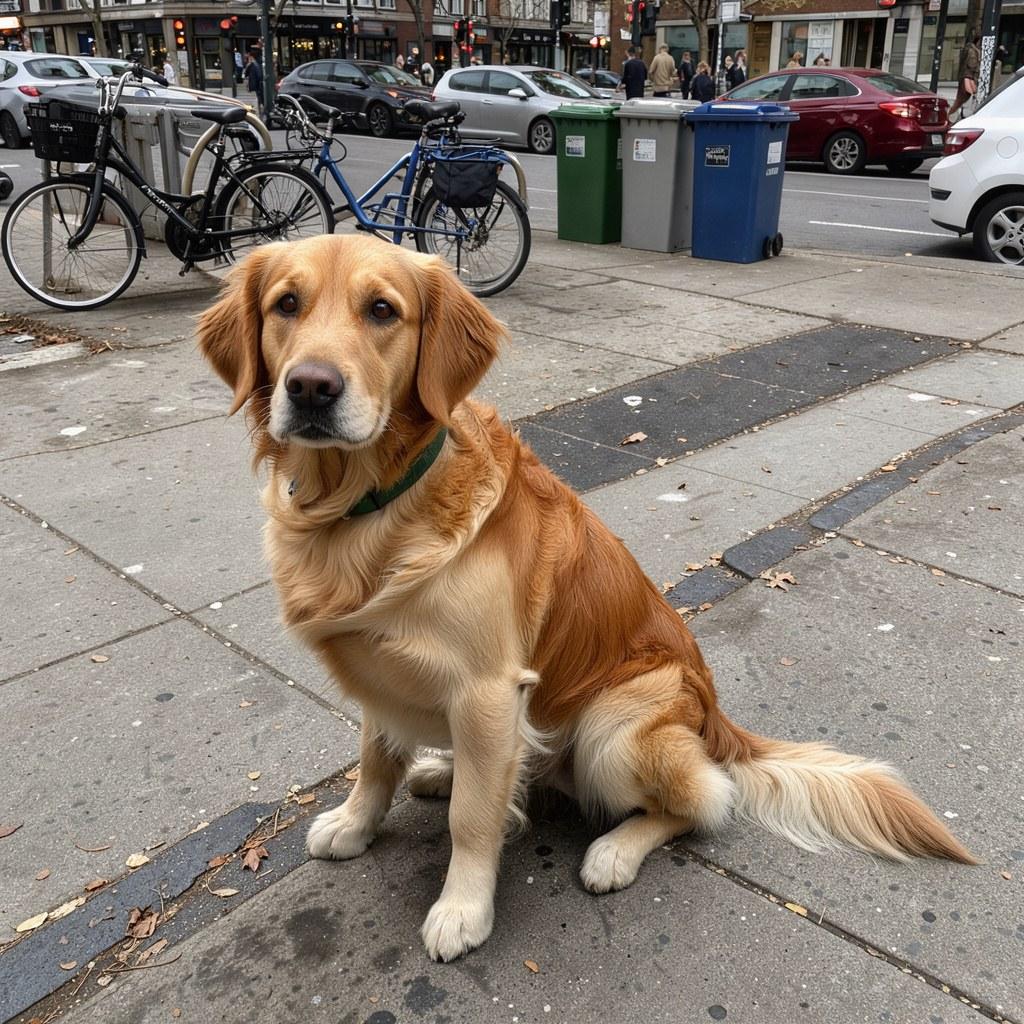
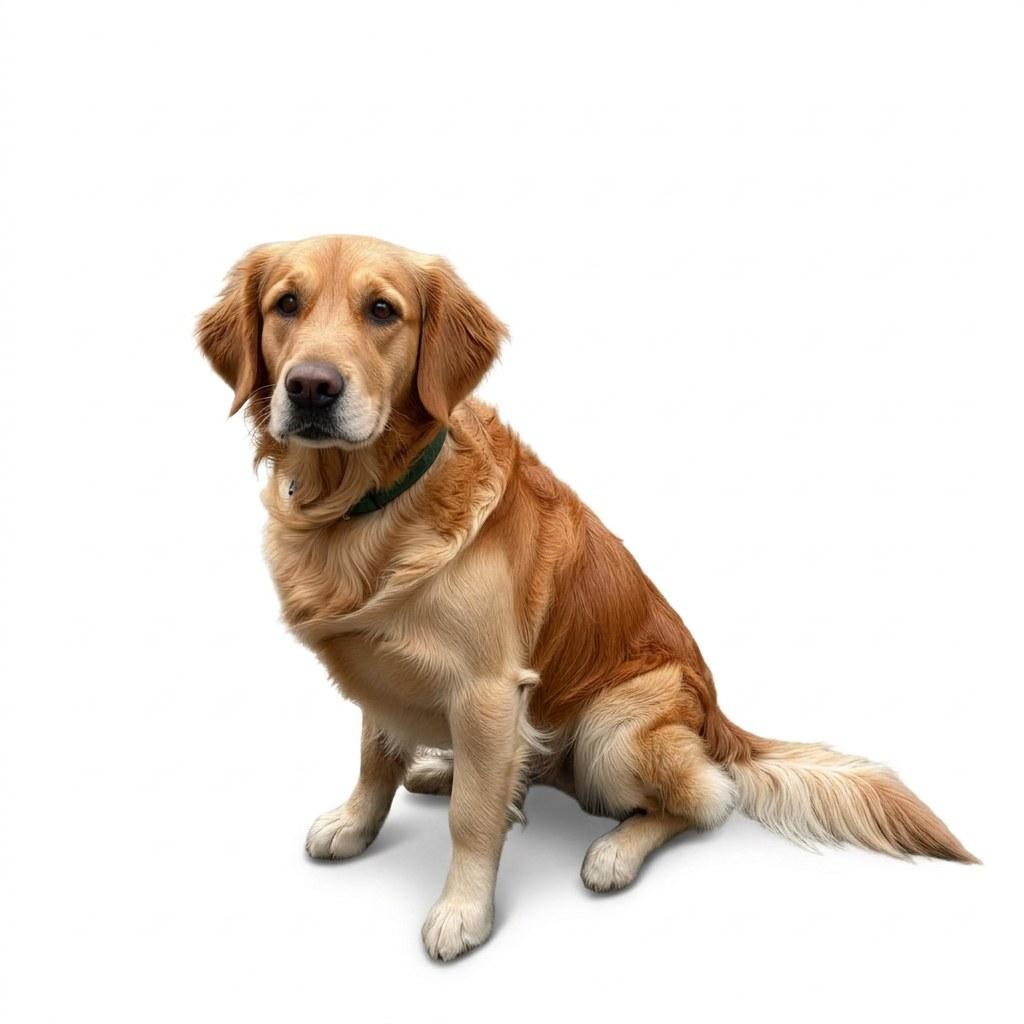
Before and after.
A product shot and a dog on a busy street, each cut out by the Remove background tool.
How it works.
- 1Upload a photoThe subject should be sharp and fully in the frame. A busy background is fine; a blurry edge is harder.
- 2Run itOne click. There is nothing to pick: the tool finds the main subject on its own.
- 3Download itUse it as it is in Canva, Figma or Slides, or open it in another tool to put the subject on a new background.
- A matting model. It cuts along the subject's edge and keeps its pixels. Nothing in the product or the person is redrawn.
- Real transparency. The result keeps an alpha channel (a WebP image), so it drops onto any color, slide or design.
- Real runs on this page. The two before-and-afters below came out of the Remove background tool itself.
What people cut out.
Products
For listings, comparison tables and ads where the item has to stand alone.
Profile photos
A portrait on a plain color for a CV, a badge or a speaker slide.
Logos and signatures
Photographed on paper, cleaned up into a transparent file for documents.
Stickers and print
A cut-out is the start of a die-cut sticker or a t-shirt print.
- Slides and thumbnails. Put a person in front of a title for a YouTube thumbnail or a deck cover.
- Pets. Your dog without the street behind it, ready for a card or a mug.
Good to know.
White backgrounds for marketplaces
A cut-out is the first step. Each site then has its own rule for the main image.
- Amazon. The main image needs a pure white background (RGB 255, 255, 255) and the product should fill about 85% of the frame. Put the cut-out on white, crop tight and save it as JPEG or PNG.
- eBay and Etsy. No strict white rule, but a plain, light background makes thumbnails easier to read in search results.
- Your own shop. A transparent cut-out lets you set one background color across the whole catalog, and change it later.
Questions, answered.
Something else on your mind? Write to us.
Is the background really transparent?
Yes. The result is a WebP image with an alpha channel, so everything that was background is transparent, not white. Canva, Figma, Google Slides and modern browsers read it; if a site only takes PNG or JPEG, convert it in any image editor.
Does it handle hair and fur?
Usually well, since the model is trained for matting. Fine, flyaway hair against a busy background is the hardest case: check the edges at full size before you print.
Can I put a new background behind the subject?
Yes. Use the Change background tool to place the same person or object in a new scene, with the light matched, or put the cut-out on any color in your own editor.
Does it change my product?
No. Unlike a generative edit, matting only decides which pixels to keep. The product's label, color and shape stay exactly as photographed.
Is it free?
Remove background runs on credits, so it needs a paid plan. It is the cheapest tool in Merlio, a few credits a photo; the exact price shows before you run it.
More photo tools.
All AI tools
AI sticker maker
Anyone or anything, as a die-cut sticker.
AI photo upscaler
A small, soft photo made sharp.

AI headshot generator
A studio headshot from one selfie.

Restore old photos
The family print, without the damage.

Colorize black and white photos
Old photos, in the color of their time.

Expand image with AI
A square photo, made wide or tall.

AI face swap
Your face, in any picture.

Unblur image
The shot you almost got, made sharp.